How-to 5 of 31 · Storykeeper · Ask
What “Waiting” and “Answered” mean
When you want to know where a question is, and why it has not reached them yet.
- Coming up means it is in the queue.The question is approved but not on their phone yet. It waits for room in their current batch.
- Waiting for a reply means it is on their phone.They see it now, and can answer whenever they like. This is where Remind and Ask again appear.
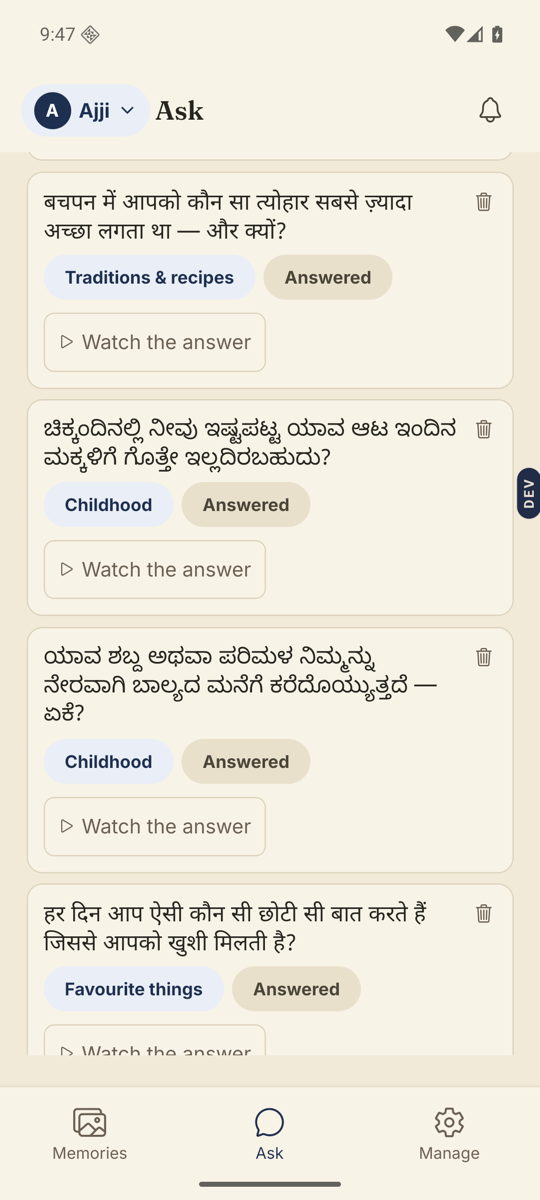
- Answered means there is a memory to watch.Tap Watch the answer to open it in the player.
- Change how many they get at a time.Manage → Question delivery. “Questions per batch” starts at 2. Under “When to reveal the next batch” choose “When all current ones are answered”, or the option beginning “Manually” to hand them out yourself.
- Push the next batch yourself if you want.In the same sheet, Deliver next batch now sends the next questions straight away.
Good to know. Two at a time is deliberate. A short list is easier to face than a long one, and the next two arriving is its own small reward.
Stuck anywhere? Write to [email protected] — a person answers.