How-to 1 of 31 · Storykeeper · Ask
Ask your own question
When there is something only you would think to ask them.
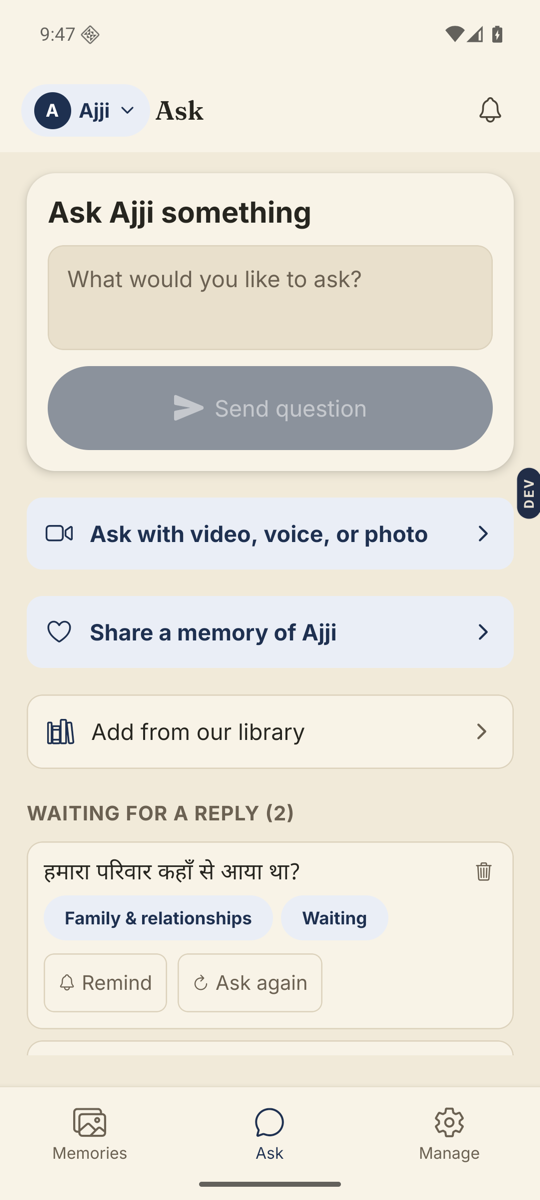
- Open the Ask tab.The bottom bar has three tabs: Memories, Ask, Manage.
- Type your question in the card at the top.It says “Ask Amma something”, with the name of the person you set the Library up for. The box reads “What would you like to ask?”
- Tap Send question.The button stays grey until you have typed something.
- Find it in the list below.It lands under Coming up. It moves to Waiting for a reply once the questions already on their phone are answered.
Good to know. Your own questions go straight through. A question from anyone else in the family waits for your OK first, under Manage → Inbox.
Good to know. Questions are handed to them two at a time. The next two arrive once those are answered, so a new question may sit under Coming up for a while.
Stuck anywhere? Write to [email protected] — a person answers.