How-to 16 of 31 · Storykeeper · Organise
Sort and filter your memories
When the list has grown and you are looking for one thing.
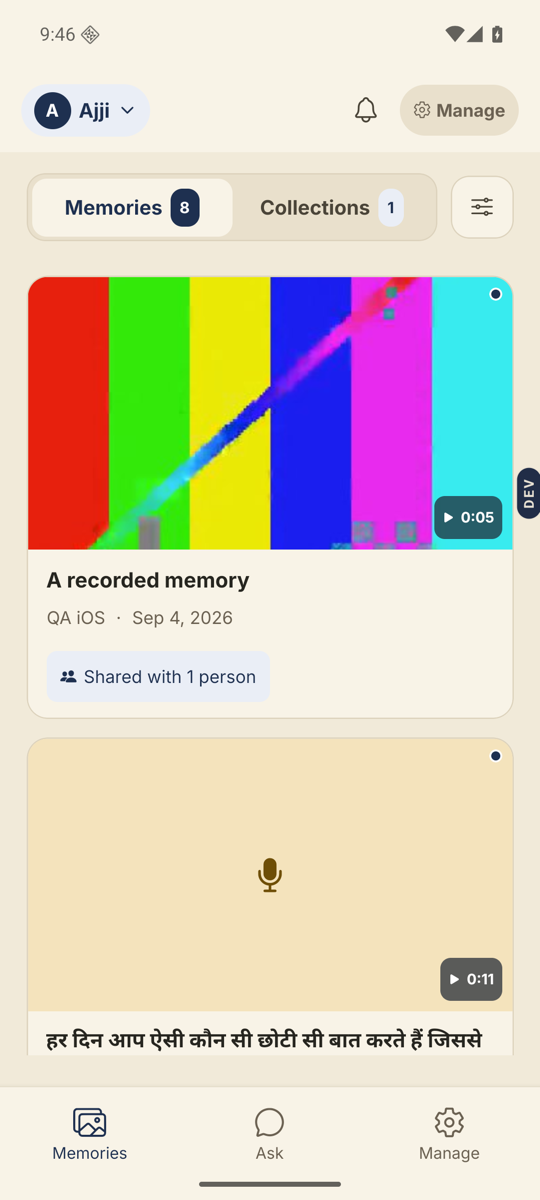
- Open the Memories tab and tap the Sort & filter button.It sits at the right of the Memories / Collections switch.
- Choose an Order.Newest first, Oldest first, Title A to Z, Title Z to A.
- Narrow it down.About lists the themes: Childhood, Family & love, Work & calling and so on, plus Not from a question. Told by lists the people who recorded. In a collection lists your collections.
- Use Show only for housekeeping.Ones I haven’t watched. Ones nobody can see yet. Ones waiting for you, which are relatives’ memories awaiting your OK.
- Tap Show 12 memories.The button counts as you choose, so you never land on an empty screen. Show all clears everything.
Good to know. What you applied shows in a line under the switch, with Clear beside it. Give memories titles and the A to Z orders become useful.
Stuck anywhere? Write to [email protected] — a person answers.