How-to 11 of 31 · Storykeeper · Share
Share a whole collection
When a set of memories belongs together and the same people should see all of it.
- Open the Memories tab and switch to Collections.The two views sit side by side at the top: Memories and Collections.
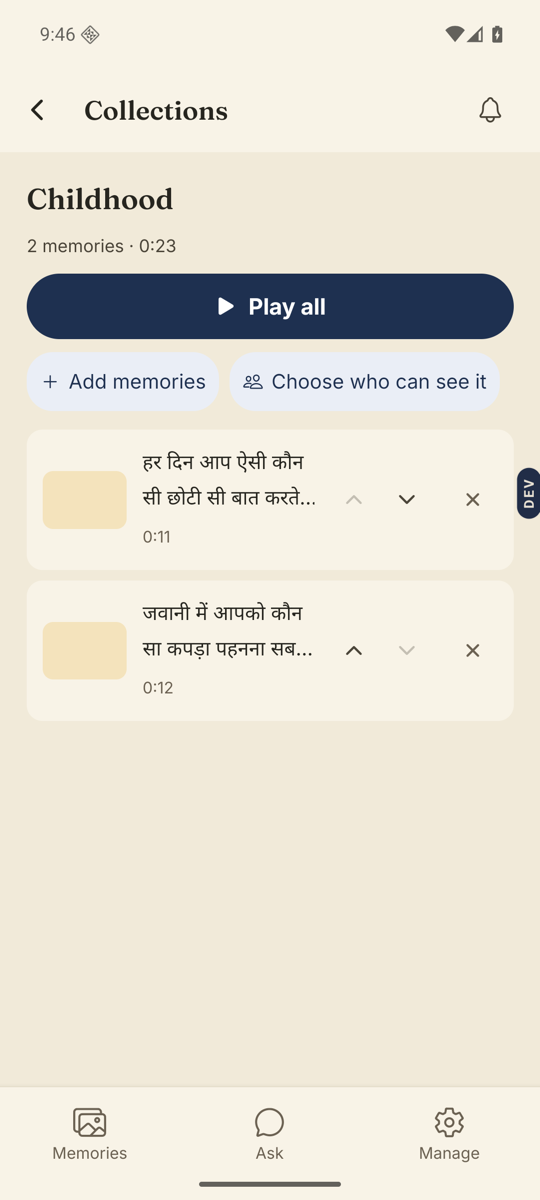
- Open the collection.Under its name you see the count and its sharing line: “not shared yet”, or “shared with 5 people”.
- Tap Choose who can see it.It is next to Add memories. The Who can see this sheet opens, the same one you use for a single memory.
- Pick people or groups, then Save.Everyone chosen can watch every memory in the collection.
Good to know. Adding a memory to a shared collection shares it with those people too. The Add memories screen reminds you: “Anyone this collection is shared with will be able to see it.” Taking a memory out, or deleting the collection, removes access for anyone who only had it that way.
Stuck anywhere? Write to [email protected] — a person answers.