How-to 13 of 31 · Storykeeper · Share
Put viewers into groups
When you keep choosing the same five cousins one by one.
- Open the Manage tab and tap Manage access.It is under People, described as “Who can see which memories”.
- Tap New group under Groups.Give it a name, for example Cousins, and tap Create group.
- Add people to it.Tap the group to open Edit group, tap the people chips you want, and save. Each group shows who is in it and “3 people”.
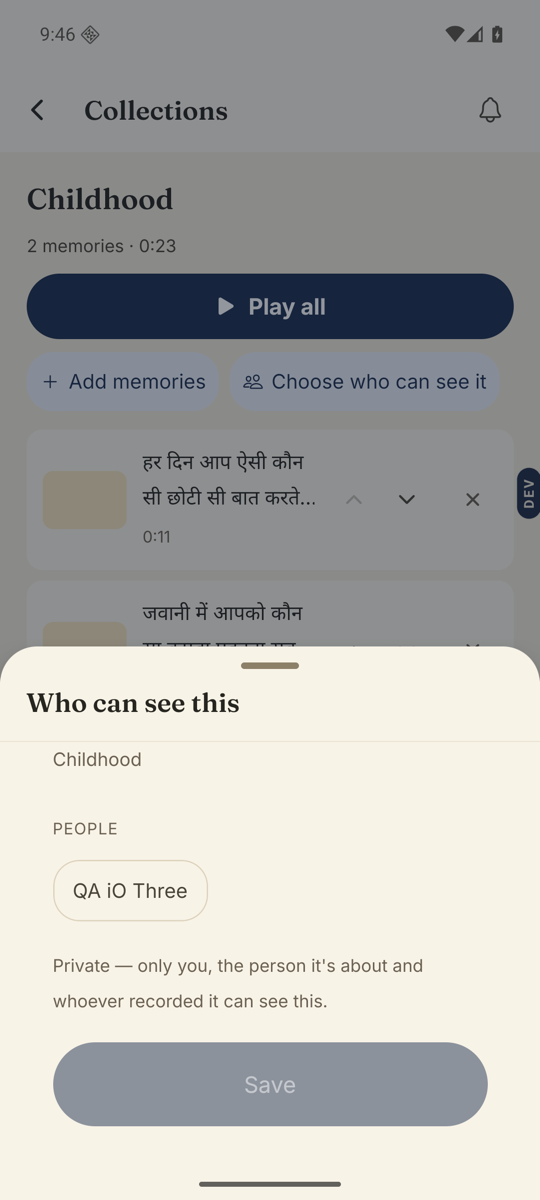
- Use the group when you share.In any Who can see this sheet, your groups appear as chips above the people. One tap covers everyone in the group.
Good to know. The same screen has a section called Sees the whole Library. Anyone listed there sees every memory, whatever you do per memory. Tap Add to put someone there, or invite them with The whole Library.
Good to know. Deleting a group takes access away from anyone who could only see memories through it. Nenapu warns you before it does.
Stuck anywhere? Write to [email protected] — a person answers.