How-to 3 of 6 · The person recording · Answering
Use a video already on your phone
Already recorded something? Send that instead of recording again.
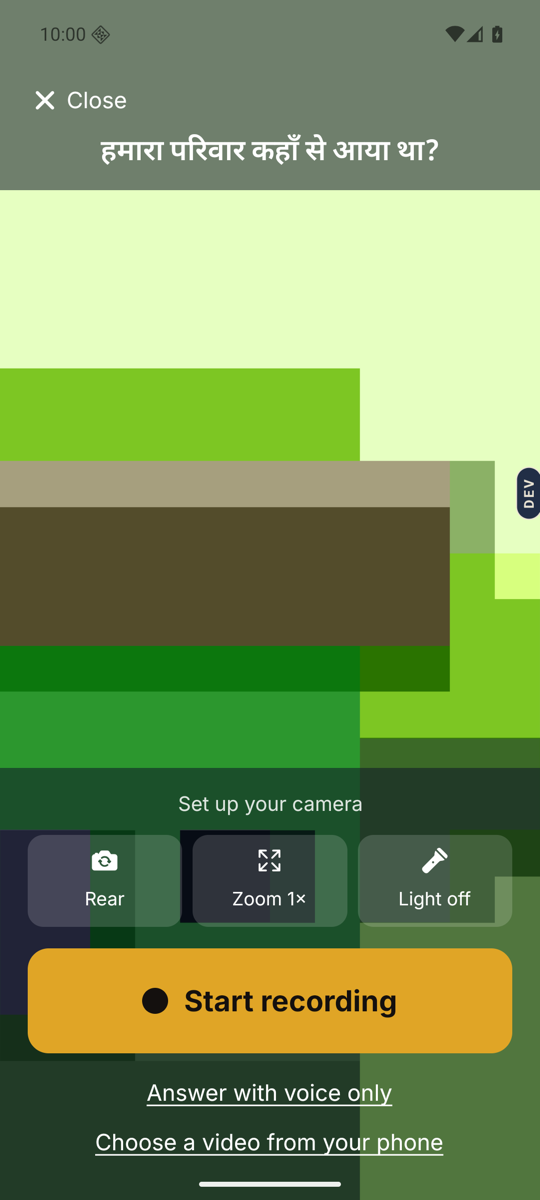
- Tap Answer on a question.Or tap Tell your own story on the home screen. Either way, the camera screen opens.
- Tap Choose a video from your phone.The last line of text under Start recording.
- Pick the video.Your phone shows its own videos. Tap the one you want. The first time, the phone may ask if Nenapu can see your videos. Say yes.
- Tap Send.The video opens on the Review screen. Play it to check. Send shares it with your family. Try again takes you back to the camera.
Good to know. Each Memory Library has a limit on recording time. If the video is too long you will see: “This video is longer than the recording time left. Please choose a shorter one.”
Good to know. You can add a photo or a note to it, the same as any other answer. Tap Add a photo or note on the Review screen.
Stuck anywhere? Write to [email protected] — a person answers.