How-to 5 of 6 · The person recording · Your memories
See what you have recorded
Everything you have sent is kept in one place. You can watch it, add to it, or remove it.
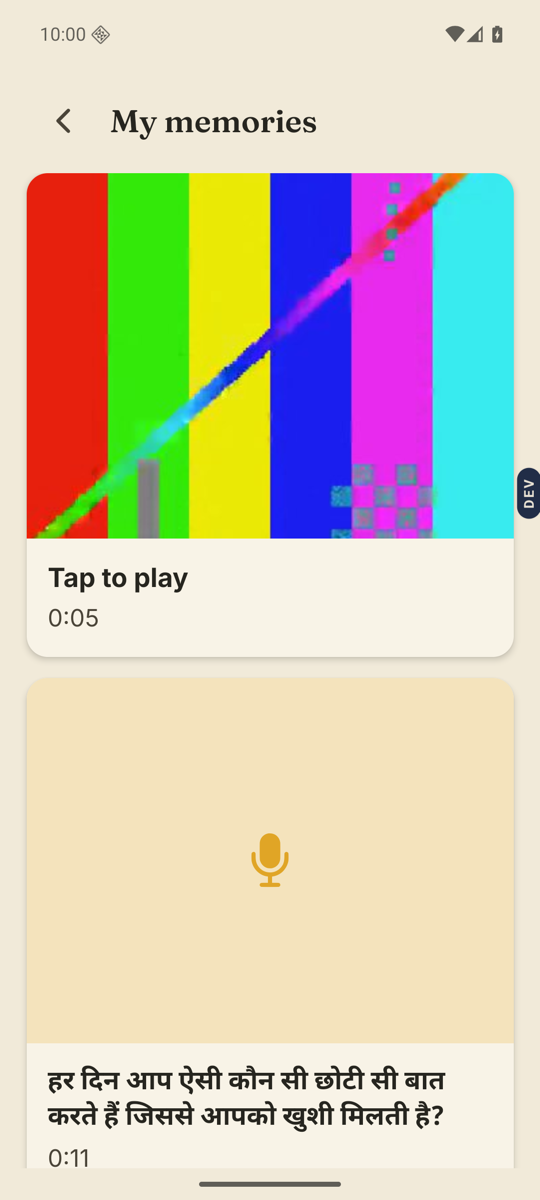
- Tap My memories.Near the bottom of the home screen, under the Messages tile.
- Tap a memory to play it.Each card shows a picture, or a microphone for a voice memory, and the question you answered. “Still sending…” or “Processing…” means it is on its way. Nothing is lost.
- Watch, then tap Done.Two big buttons at the bottom of the player: Pause and Done.
- Add to it, if you like.Above those buttons: Add more records another part of the same memory. Say something lets you leave a short note under it.
- Remove a memory you do not want kept.The small Remove line with a bin icon. You will be asked: “Remove this memory? Your family will no longer see it.” Tap Remove to confirm, or Cancel.
Good to know. When relatives write under a memory, it shows on the card as “Notes from your family”. A note of your own shows “Waiting for OK” until the family member who set up your Memory Library approves it.
Good to know. To answer a question again, go home and tap the answered question, the one with the tick. Then tap Record again. Your old answer stays until the new one arrives.
Stuck anywhere? Write to [email protected] — a person answers.