How-to 1 of 6 · The person recording · Answering
Answer a question
Your family sends you questions. You answer by talking. One at a time, whenever you like.
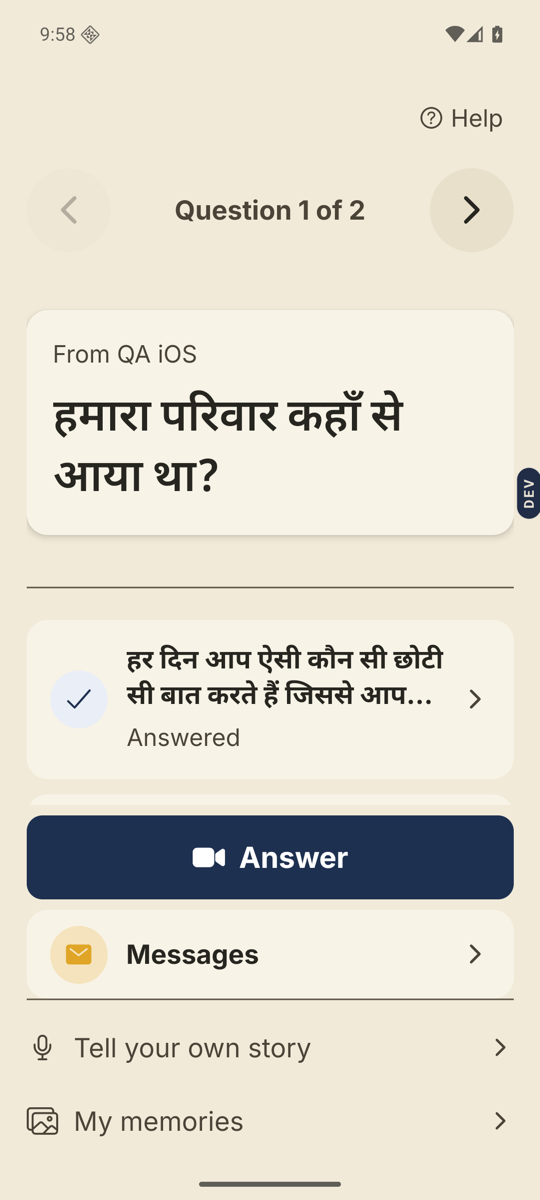
- Open Nenapu.The first screen shows one question in big type. Under it is who asked, like “From Ravi”. If more questions are waiting, there are arrows on either side and a counter between them: “Question 1 of 3”.
- Tap Answer.The big button at the bottom of the screen. If the question is a video or a voice message, play it first. Answer wakes up when it finishes.
- Tap Start recording.The camera opens with you in it. The question stays at the top. You see 3, 2, 1. Then recording starts.
- Talk. Tap Finish when you are done.The question stays on screen the whole time, with “Recording…” under it. Finish is the big button at the bottom. Take your time.
- Tap Send.This is the Review screen. Play it back if you like. Send shares it with your family. Try again records it once more.
Good to know. After Send you see “Sent with love”, then you are back home. The question stays on your screen with a tick and the word Answered. Tap it any time to Watch your answer or Record again.
Good to know. Want to add a photo or a note? On the Review screen, tap Add a photo or note before you tap Send.
Stuck anywhere? Write to [email protected] — a person answers.