How-to 4 of 6 · The person recording · Answering
Read messages from the family
When someone in the family is thinking of you, it shows up here.
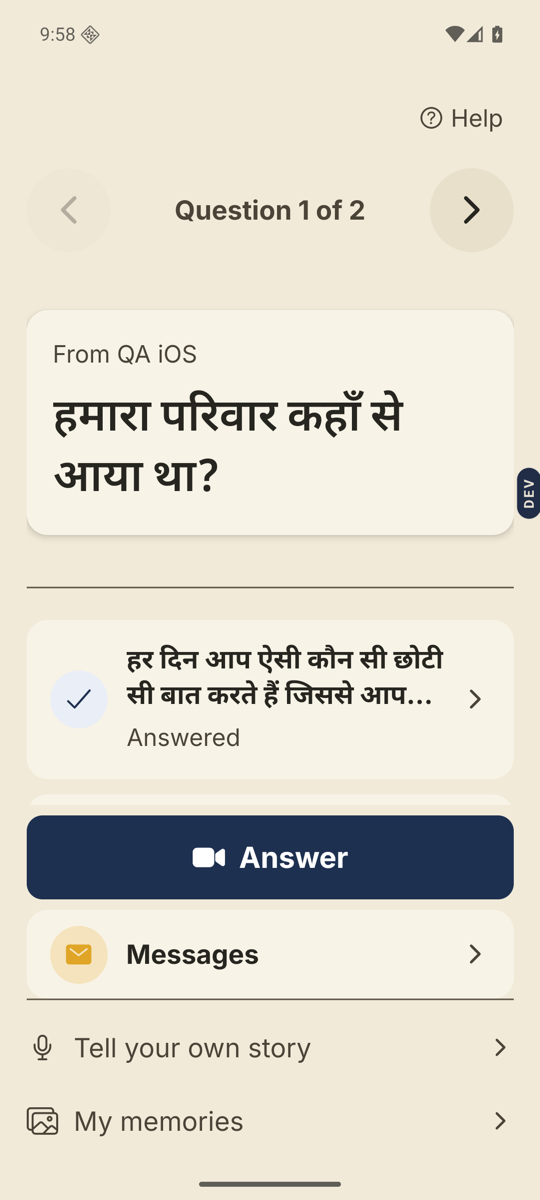
- Look for the message card.At the top of the home screen: “You have a message from Ravi”. It only appears when something new has come in.
- Tap it, or tap Messages.Messages is the tile with the envelope, under the Answer button. A red dot on the envelope means something is unread.
- Read the message.Each card says who it is from, like “Ravi is thinking of you”, with their note underneath if they wrote one.
- Tap the X to go back home.Top right of the Messages screen.
Good to know. A message usually means a question is waiting for you. Go home and tap Answer.
Good to know. You cannot write back from here. To say something to the family, record an answer, or open a memory in My memories and tap Say something.
Stuck anywhere? Write to [email protected] — a person answers.