How-to 22 of 31 · Storykeeper · Family
Remove someone from a Library
When someone should no longer see the Library, or an invite went to the wrong address.
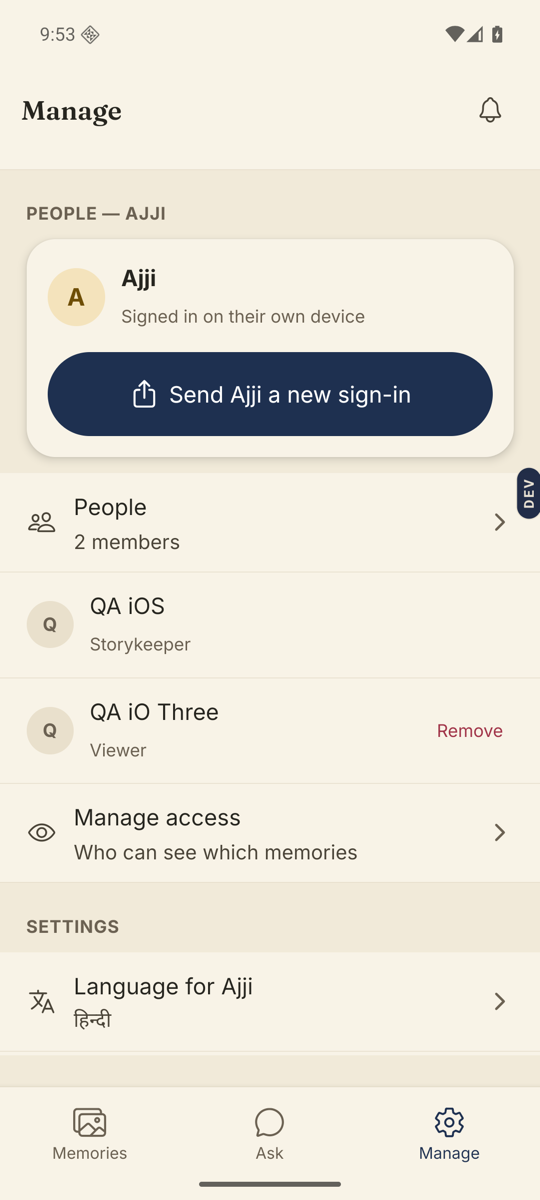
- Open the Manage tab and go to People.Tap the People row to see everyone in this Library.
- Tap the person.Their row opens a sheet with their name and what they can do. There is no Remove on the row itself any more — the row is the door.
- Tap “Remove from the Library”, at the bottom of the sheet.It is the red one. A second sheet asks “Remove Ravi?”
- Read what happens, then tap Remove them.The sheet spells it out: they will no longer see this Memory Library or hear from it. Anything they recorded, asked or wrote stays here, because it belongs to the family. They are not told. You can invite them back at any time.
- For an unused invite, tap Remove on its row.Under the pending invites, further down. Those rows are unchanged, and the code and link stop working at once.
Good to know. Removing someone never deletes what they recorded. If you also want a memory gone, move it to Trash separately.
Good to know. A co-Storykeeper who has the “Add or remove co-Storykeepers” duty can remove people too, from the same sheet. What they can never do is remove you.
Good to know. On Nenapu 0.57 and older, Remove sat on the person’s row instead of inside a sheet. If that is what you see, it is the same thing in an older place.
Stuck anywhere? Write to [email protected] — a person answers.